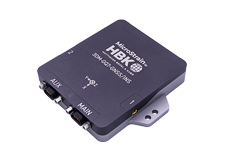
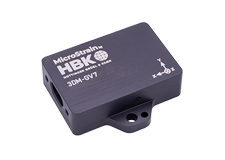
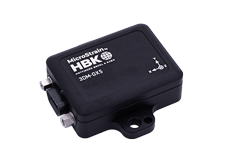
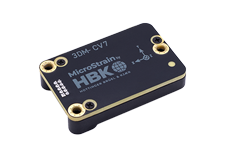
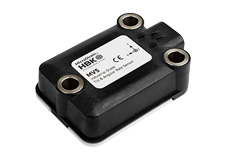
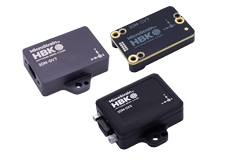
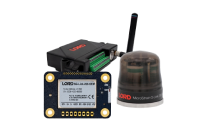
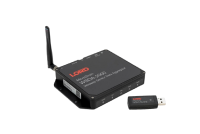


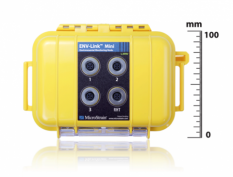
The SG-Link® -RGD -LXRS® ia a versatile, ruggedized four-channel analog sensor node with integrated triaxial accelerometer.
Product Highlights
- Four analog input channels, integrated three-axis accelerometer, and an internal temperature sensor
- Integrated strain sensor signal conditioning, embedded processing, and environmentally hardened form factor ideal for permanently mounting over strain gauges
- Supports conventional bonded foil, piezoelectric-resistive, Wheatstone bridge, and modular Columbia Research
- Labs-type strain gauges
- Integrated triaxial accelerometer with MEMS technology and +/- 16 g range
- User-programmable sample rates up to 4096 Hz
LORD MicroStrain® LXRS® Wireless Sensor Networks enable simultaneous, high- speed sensing and data aggregation from scalable sensor networks. Our wireless sensing systems are ideal for sensor monitoring, data acquisition, performance analysis, and sensing response applications.
The gateways are the heart of the LORD MicroStrain wireless sensing system. They coordinate and maintain wireless transmissions across a network of distributed wireless sensor nodes . The LORD MicroStrain LXRS wireless communication protocol between LXRS nodes and gateways enable high- speed sampling, ±32 microseconds node- to- node synchronization, transmission range up to 2 kilometers, and lossless data throughput under most operating conditions.
Users can easily program nodes for data logging, continuous, and periodic burst sampling with the Node Commander ® software. The web- based SensorCloud™ interface optimizes data aggregation, analysis, presentation, and alerts for gigabytes of sensor data from remote networks.
Wireless Simplicity, Hardwired Reliability
High Performance
- Node-to-node synchronization up to ±32 microseconds
- High resolution data with 16-bit A/D converter
- Scalable, long range wireless sensor networks up to 2 km
Ease of Use
- Flex bonding cable and node form factor allow quick installation over existing strain gauges
- Low profile, environmentally sealed enclosure
- On-board shunt calibration
Cost Effective
- Reduction of costs associated with wiring
- Out-of-the box wireless sensing solution reduces development and deployment time.
|
General |
|
|---|---|
|
Sensor input channels |
RHT sensor input, 1 channel each (temperature and humidity) 0 to 5 V dc inputs, 3 channels |
|
Data storage capacity |
2 M bytes (up to 500,000 data points) |
|
Relative Humidity and Temperature (RHT) Sensor Input |
|
|
Measurement range |
0 to 100 % RH, -40 °C to 123 °C |
|
Accuracy (RH) |
± 2 % (10 to 90 % RH), ± 4 % ( 0 to 10% RH and 90 to 100% RH) |
|
Accuracy (temperature) |
± 0.3 °C typical |
|
Resolution |
12 bit |
|
0 to 5 V DC inputs |
|
|
Measurement range |
0 to 5 V dc |
|
Accuracy |
0.01 % typical (absolute accuracy) |
|
Resolution |
24 bit |
|
Sensor excitation |
2 or 3 V dc (user selectable) |
|
Sampling |
|
|
Sampling modes |
Synchronized, low duty cycle, datalogging |
|
Sampling rates |
Continuous sampling: 1 sample/hour to 2 Hz Datalogging:1 sample/hour to 2 Hz |
|
Sample rate stability |
± 3 ppm |
|
Network capacity |
Up to 2000 nodes per RF channel (and per gateway) depending on the number of active channels and sampling settings. Refer to the system bandwidth calculator: http://www.microstrain.com/configure-your-system |
|
Synchronization between nodes |
± 32 μsec |
|
Operating Parameters |
|
|
Radio frequency (RF) transceiver carrier |
2.405 to 2.470 GHz direct sequence spread spectrum over 14 channels, license free worldwide, radiated power programmable from 0 dBm (1 mW) to 16 dBm (39 mW); low power option available for use outside the U.S.A.- limited to 10 dBm (10 mW) |
|
RF communication protocol |
IEEE 802.15.4 |
|
Range for bi-directional RF link |
70 m to 2 km line of sight with RF power setting |
|
Power source |
Internal: size D-cell 3.6 V dc Lithium thionyl chloride batteries (included), or size D-cell 1.5 V dc alkaline batteries (user supplied); External: 0.9 V dc to 6.0 V dc |
|
Power consumption |
See power profile :http://files.microstrain.com/ENV-Link-Mini- LXRS-Power-Profile.pdf |
|
Operating temperature |
-40 ˚C to + 85 ˚C (with Lithium thionyl chloride batteries) |
|
Physical Specifications |
|
|
Dimensions |
150 mm x 53 mm x 100 mm |
|
Weight |
298 grams |
|
Environmental rating |
IP67 |
|
Enclosure material |
polycarbonate |
|
Integration |
|
|
Compatible gateways |
All WSDA® base stations and gateways |
|
Compatible sensors |
RHT input: LORD MicroStrain® RHT sensor 0 to 5 V dc inputs: pyranometer, photosynthetic photon flux, soil moisture, and leaf wetness sensors (available from LORD MicroStrain® ), thermocouples, rain and strain gauges, anemometers, and other 0 to 5 V dc sensors |
|
Connectors |
M9 screw-on IP67 connector |
|
Software |
SensorCloud™, Node Commander®, WSDA® Data Downloader, Live Connect™, Windows XP/Vista/7 compatible |
|
Software development kit (SDK) |
Data communications protocol available with EEPROM maps and sample code (OS and computing platform independent) http://www.microstrain.com/software-development-kits-sdks |
|
Regulatory compliance |
FCC (U.S.), IC (Canada), ROHS |
General Documentation
- ENV-Link™-Mini -LXRS® Datasheet
- ENV-Link™-Mini -LXRS® Sensors Datasheet
- ENV-Link™-Mini -LXRS® Quick Start Guide
- Node Commander Wireless Sensing Software User Manual
- MicroStrain Wireless Sensor Networks LXRS™ Data Communications Protocol
- Wireless Products Comparison
Software Development Kit
Technical Notes
- LXRS® Firmware Upgrades
- Outputting a 4 to 20 mA Current Loop
- ENV-Link™-Mini -LXRS® Power Profile
- Battery Use and Replacement
- Synchronized Sampling on Startup
Mechanical Prints (Uncontrolled)
FAQ's
What is Multipath?
Multipath is the phenomenon whereby a radio signal arrives at a receiver’s antenna by more than one path. This occurs by the reflection, diffraction, or scattering of radio waves from atmospheric ducting, reflection from water bodies or terrestrial objects (like mountains), etc.
Does Multipath impact signal strength?
Yes, multipath propagation of radio signals causes fading of the transmitted signal, which can be indicated by fluctuations in signal strength when received by the signal receiver.
How do I mitigate Multipath?
Pe-position base station or node to mitigate possible multipath interference.
Ensure a clear path to the antenna for the strongest signal, enhancing the strength of the strongest signal AND reducing the strength of the weaker signals.
Learn More: Mutipath Propagation
The WSDA-RGD (with internal GX3 inertial sensor) is configured to produce the following messages on startup.
GPS Data (1 Hz):
- UTC Time
- LLH Position
- NED Velocity
AHRS Data (100 Hz):
- Euler Angles
From this output the WSDA logs:
GPS (1 Hz):
- latitude
- longitude
- height above ellipsoid
- height above MSL
- horizontal accuracy
- vertical accuracy
- speed
AHRS (100 Hz):
- roll
- pitch
- yaw
The WSDA-RGD does not log any data until it gets a valid time, if it is set to get time from GPS only it will not log any output from the GX3 until the UTC timestamp from the GX3 is valid, even though the GX3 is producing valid AHRS data.
This data is not user configurable and is not available as a live stream through LiveConnect.
All LORD MicroStrain wireless sensor nodes, wireless base stations, and wireless sensor data aggregators are shipped from the factory with their radio frequency set to channel 15 (2.425 GHz).
This channel setting was established during 2012.
Previously all wireless products were set to channel 25 (2.475 GHz).
If you are mixing new nodes and base stations with older nodes and base stations, please be cognizant of these different channel settings.
The Node Discovery function of Node Commander will help you sort out which nodes are on what channels; Node Discovery is channel independent and allows the base station to communicate with any node, no matter what channel it is on
Sampling methods such as synchronized sampling, low duty cycle, network broadcast, etc. require that all nodes are on the same frequency so you will want to insure that you have adjusted the channels settings of the nodes to suit.
The wireless nodes all have 2 Mbytes of datalogging memory. This 2 Mbytes is organized into 8,191 ‘pages’ of memory, each page holds 132 data points. The maximum number of data points that can be held in memory can be calculated as follows: 8,191 pages x 132 data points/page = 1,081,212 total data points.
Now the question arises, ‘how long can a node datalog before its memory is full?’. The answer is that it varies depending on how many channels are being sampled and what sampling rate has been set. Here are two examples:
Let’s set a V-Link-LXRS so that channel 1 is active with a datalogging sampling rate of 2048 samples per second and we launch continuous datalogging. Our calculation would be:
- 1 channel x 2,048 samples per second = 2,048 data points per second
- 1,081,212 data points / 2,048 data points per second = 527 seconds
- 527 seconds / 60 seconds per minute = ~9 minutes to fill the memory
Let’s set a G-Link-LXRS so that channels 1, 2 and 3 are active with a datalogging sampling rate of 32 samples per second and we launch continuous datalogging. Our calculation would be:
- 3 channels x 32 samples per second = 96 data points per second
- 1,081,212 data points / 96 data points per second = 11,262 seconds
- 11,262 seconds / 60 seconds per minute = ~187 minutes to fill the memory